If you’re a US plumber, your Google Business Profile (GBP) is often the first thing a potential customer sees — before your website, before a review site, sometimes before they even know your company’s name. Set up correctly, it helps you show up in Google Search and Google Maps for people searching for a plumber near them. It won’t put you in position one on its own, and anyone who promises that isn’t reading Google’s own documentation. What follows is a complete, US-specific setup and optimisation checklist based on Google’s current guidelines, not guesswork.
| Quick answer: A US plumber can use a Google Business Profile even without a customer-facing shop. If customers don’t visit the business address, the plumber can operate as a service-area business and hide the address publicly. The profile should accurately represent the real business, services and areas served. |
What Is Google Business Profile?
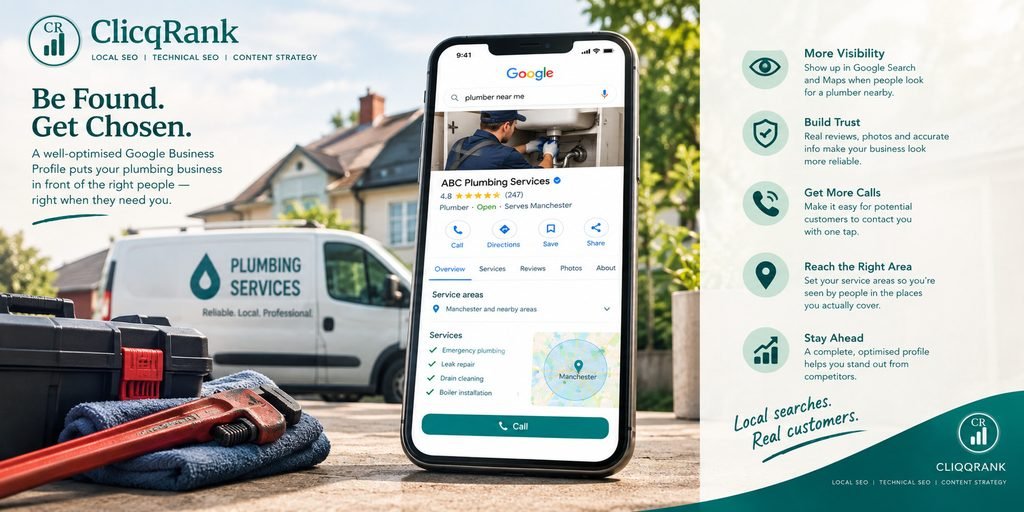
Google Business Profile is the free listing that controls how your business appears across two separate surfaces: Google Search (including the local “map pack” of three businesses shown for local searches) and Google Maps. It’s where your opening hours, phone number, reviews, photos and services live.
The two surfaces work slightly differently. Search shows your profile alongside organic results when someone searches for a plumber or your business name directly. Maps shows it when someone is actively looking at a map, often already narrowing down who to call. Both surfaces pull from the same profile, so getting it right once covers both.
Is a Plumber Eligible for a Google Business Profile?
Yes — but which type of profile you’re eligible for depends on how your business actually operates.
Google’s own guidance names plumbers directly as a typical example of a service-area business (SAB): a business that visits or delivers to customers rather than serving them at a business address. If that’s you, your profile should not display a public address.
If you have a genuine customer-facing premises as well as a team that travels to jobs, you can show the storefront address and set a service area.
Never invent a location: a virtual office, coworking address, friend’s address, or PO box purely to get a pin on the map.
How to Set Up a Google Business Profile for a Plumber
1. Use Your Real Business Name
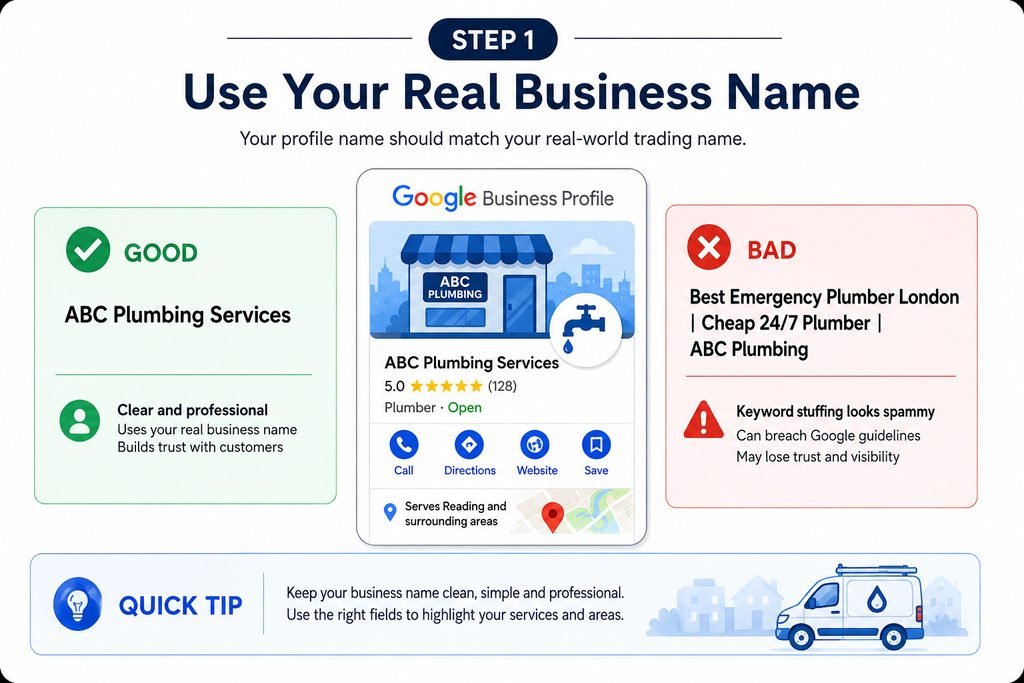
Your profile name should match your real-world trading name. Google’s guidelines prohibit adding unnecessary information, including keywords, to the business name.
Good: ABC Plumbing Services
Bad: Best Emergency Plumber London | Cheap 24/7 Plumber | ABC Plumbing
If you want service terms or locations to appear, use the appropriate profile fields rather than stuffing them into the name.
2. Choose the Most Accurate Primary Category
Choose the most accurate category available. Google’s test is to choose categories that complete the sentence “This business IS a…”, not “This business HAS a…”. A plumber who also does bathroom fitting is still fundamentally a plumber.
Google recommends choosing the fewest categories needed to accurately describe the business. Category options can change, so use the options currently available in the Business Profile.
3. Set Your Address Correctly
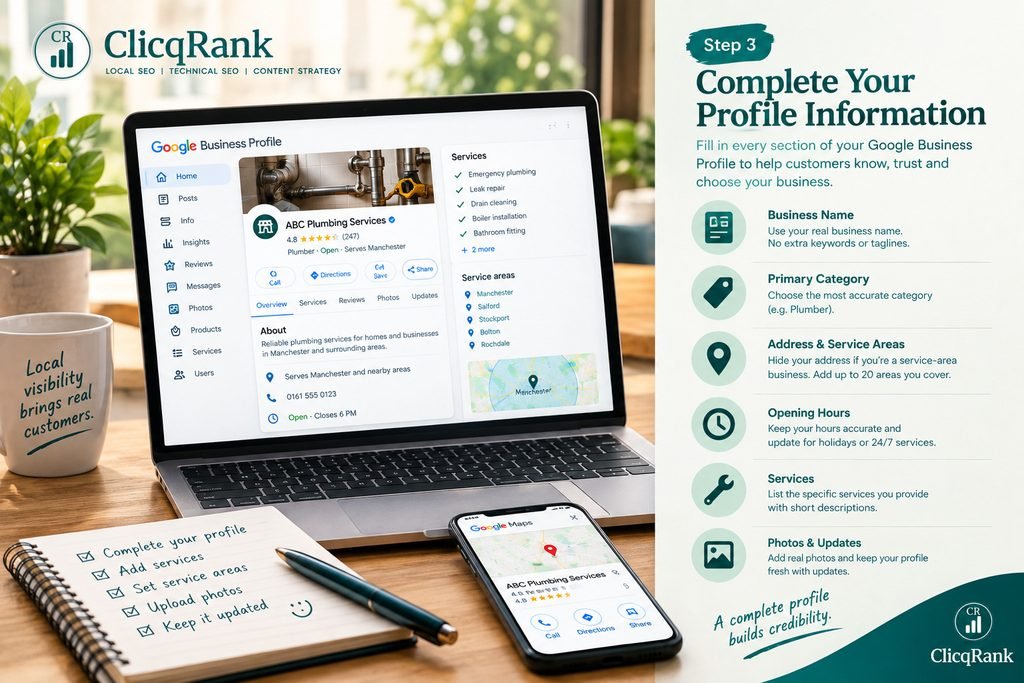
If you’re a service-area plumber who doesn’t meet customers at your business address, Google’s guidance is to remove the address from public view. Don’t use a virtual office, coworking space, PO box, or address you don’t actually operate from.
4. Set Your Service Areas
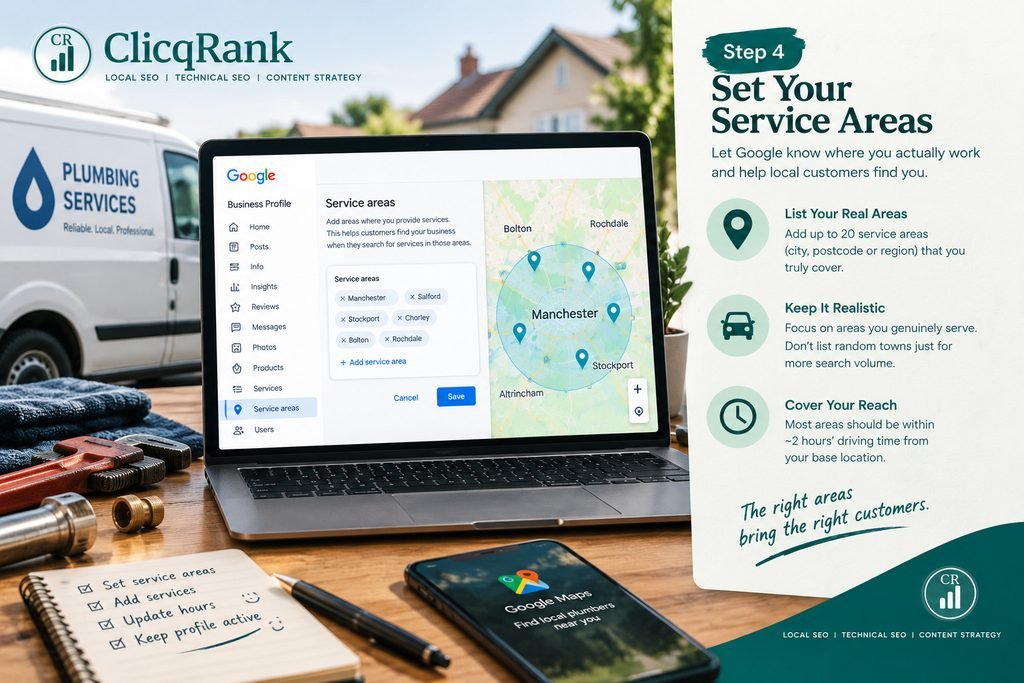
Google allows service-area businesses to list up to 20 service areas, defined by city, postcode, or other area, generally within around two hours’ driving time of where the business is based.
List the areas you genuinely cover — not every town with decent search volume. A plumber based in Reading listing service areas in Leeds doesn’t get closer to Leeds; local ranking still weighs distance.
5. Add Accurate Opening Hours
Set standard hours and update special hours for bank holidays and closures. If you genuinely offer 24/7 emergency call-outs, say so. If you don’t, don’t claim it.
6. Complete the Services Section
List the specific services you actually provide, each with a concise description. Examples include:
- Emergency plumbing
- Leak detection and repair
- Burst pipe repair
- Blocked drain clearing
- Tap and toilet repairs
- Radiator and central heating work (only if genuinely offered)
- Boiler servicing (only if Gas Safe registered)
Keep each service description concise and specific, focusing on what the service actually includes.
Write a Strong Business Description
Your description has a 750-character limit. Lead with the essentials — only the first 250 or so show before a customer clicks “more”. Google’s guidance is that the field should give useful information about your services and what makes the business worth choosing, without links, prices or promotional language.
Write it the way you’d describe the business to a person, not a search engine:
ABC Plumbing Services is a family-run plumbing business covering Reading and the surrounding area. We handle everything from blocked drains and leak repairs to full bathroom plumbing, with same-day appointments available on weekdays. Our engineers are fully insured and Gas Safe registered for boiler work.
Instead of relying on empty slogans like “London’s #1 emergency plumber,” this approach clarifies the business model, specifies the location, and provides concrete, provable details to the consumer.
Add High-Quality Photos
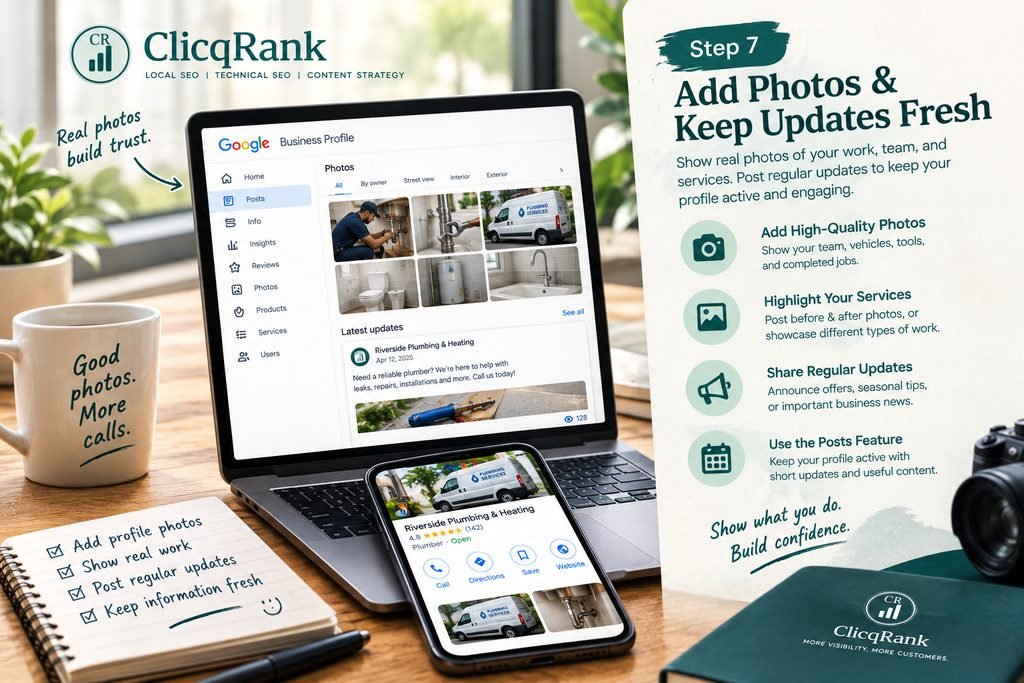
Use real, clear images of the team, branded vehicles, completed jobs, genuine before/after shots, equipment in use and premises where relevant.
Skip stock photography entirely, along with misleading or heavily altered images. It’s easy for both customers and Google to identify, and it undermines the one part of your profile whose job is proving you’re a real, local business.
Get More Genuine Customer Reviews
This is where a lot of otherwise well-optimised profiles fall down — and where US plumbers now have a legal reason, not just a Google-policy reason, to do it properly.
The process:
- Ask shortly after a completed job, while the experience is fresh — a text with your direct Google review link converts far better than a follow-up email days later.
- Make it easy: send the actual review link, not just “please leave us a review.”
- Respond to reviews, positive and negative, professionally and promptly.
What not to do:
Google’s own review policy already prohibits offering incentives in exchange for reviews and prohibits filtering out unhappy customers before they reach Google. US rules go further: under the Digital Markets, Competition and Consumers Act 2024, submitting or commissioning fake reviews — or reviews that conceal that they were incentivised — is an automatically unfair and illegal commercial practice, enforced by the Competition and Markets Authority. The CMA sets this out directly in its Fake Reviews guidance, CMA208, which also places a duty on businesses to take reasonable steps to prevent fake or misleading reviews appearing on platforms they control.
Never pay or discount for a review, and never selectively ask only the customers you expect to leave five stars.
How to Improve a Plumber’s Google Maps Visibility
Google’s local ranking guidance describes three main factors: relevance, distance and prominence.
Relevance: accurate category, genuine services, complete information and a website that supports the same services and areas.
Distance: the actual location and genuine service areas; no fake locations.
Prominence: how well-known the business appears, including reviews and legitimate online mentions.
Work on relevance and prominence through consistent, honest effort; distance cannot simply be manipulated. No legitimate SEO provider can guarantee a specific local ranking position.
Google Business Profile vs. Your Plumbing Website
Your Google Business Profile is built for local discovery: hours, reviews, service area and a way to call from Search and Maps.
Your website provides deeper information about services, areas, experience and qualifications, plus a route to booking or enquiry. It also provides additional information about the business, its services and the areas it serves, helping create a consistent overall local presence.
Local SEO connects them by keeping business information, service language and service areas accurate and consistent across your profile, website and legitimate directories.
Common Google Business Profile Mistakes Plumbers Make
- Keyword-stuffing the business name
- Using a fake, virtual, or borrowed address
- Creating duplicate profiles for the same business
- Listing service areas the business doesn’t actually cover
- Buying or incentivising reviews
- Leaving negative reviews unanswered
- Incomplete or generic services section
- Stock photos instead of real ones
- Inaccurate or outdated opening hours
- Treating the profile as a replacement for a proper website
Google Business Profile Checklist for Plumbers
| Task | Done? |
|---|---|
| Real business name used, no keyword stuffing | ☐ |
| Most accurate primary category selected | ☐ |
| Address hidden (if service-area) or accurate (if hybrid) | ☐ |
| Genuine service areas added (up to 20) | ☐ |
| Opening hours verified, including holidays | ☐ |
| Services listed individually with descriptions | ☐ |
| Business description written (no links/promos) | ☐ |
| Website linked | ☐ |
| Phone number verified and answered | ☐ |
| Real, high-quality photos added | ☐ |
| Review-request process in place | ☐ |
| Reviews being answered within a few days | ☐ |
| NAP accurate and consistent across website and directories | ☐ |
Consistency means your real name, address (or service area) and phone number should be accurate and match wherever they appear — it’s about representing the business correctly, not accumulating citations for their own sake.
Frequently Asked Questions
Can a plumber have a Google Business Profile without a shop?
Yes. Google treats plumbers as a typical example of a service-area business, meaning you don’t need a customer-facing premises to be eligible.
Should a plumber hide their home address?
If you don’t meet customers at that address, yes — Google’s guidance is to remove the address from public view and rely on your service areas instead.
How many service areas can a plumber add?
Up to 20, based on cities, postcodes, or other areas, generally within around two hours’ driving time of where the business is based.
Should plumbers put keywords in their business name?
No. Google’s guidelines prohibit adding unnecessary information, including keywords, to the business name field.
How do plumbers get more Google reviews?
Ask customers honestly after completed work, send the direct review link, and respond to reviews. Never pay for or filter reviews.
Does a Google Business Profile help a plumbing website rank?
They work together rather than one directly driving the other: the profile supports local visibility on Search and Maps, while the website provides additional information about the business and its services.
How long does it take for local SEO improvements to show?
There is no fixed timeline. Consistent, accurate information and legitimate local SEO work build over time rather than producing guaranteed results in days.
Not Sure Why Your Plumbing Business Isn’t Getting Calls From Google?
A Business Profile is only as effective as the accuracy and consistency behind it. ClicqRank reviews your Google Business Profile, website and local search presence together to find specific gaps holding back visibility. Get in touch about Local SEO for your business →
Publication Details
Author: Amna Mahar
Last updated: 18 September 2026
About ClicqRank : ClicqRank is a Local SEO and digital marketing agency helping US small businesses improve their visibility on Google, attract qualified enquiries, and grow through search. We focus on Local SEO, technical SEO, content strategy, website audits, and search-driven growth for service-based businesses.
Sources: Google Business Profile Help Center · Guidelines for representing your business on Google · Managing service areas · CMA Fake Reviews guidance (CMA208)